
Download Live Wallpapers – Free Mac Live Wallpaper App, Dynamic Backgrounds
Overview
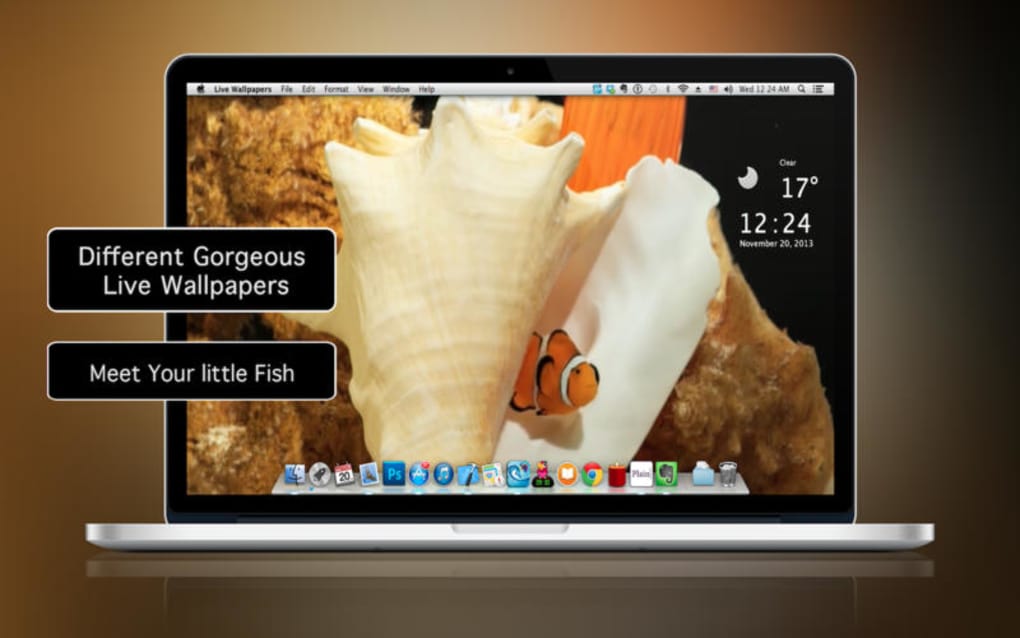
Live Wallpapers brings a splash of motion and personality to your Mac desktop without sacrificing performance. Designed exclusively for macOS, this full‑version software lands in the Science & Education category under the quirky sub‑category “Funny Things,” proving that a playful aesthetic can still have educational value. The current version 1.5, released on 1 February 2017, offers a curated collection of animated backgrounds that react subtly to system events, such as music playback or screen idle time.
While the installer size isn’t publicly listed, users report a lightweight footprint that coexists peacefully with other productivity tools. Since its catalog debut in 2016, Live Wallpapers has seen modest adoption—four downloads overall and a recent lull with zero new downloads last week—suggesting a niche but dedicated user base. The application is available only in English, which aligns with its primary market of English‑speaking Mac enthusiasts looking for a simple, free‑to‑download solution to customize their workspace.
Its secure download process, regular (albeit infrequent) updates, and Mac‑only focus make it a safe addition for anyone who wants a dynamic desktop without the hassle of cross‑platform compatibility concerns.
Key Features
- Dynamic Background Library: Over 30 high‑resolution animated wallpapers ranging from abstract patterns to nature‑inspired scenes.
- Audio‑Reactive Visuals: Certain wallpapers pulse or change colors in sync with music playing through your Mac.
- Low‑CPU Footprint: Optimized rendering engine ensures that animations run smoothly without draining battery life.
- Easy Switching: One‑click wallpaper changer in the menu bar lets you preview and apply new themes instantly.
- Automatic Updates: The app checks for new wallpaper packs and bug fixes each time it launches.
- Screen‑Saver Integration: Use any live wallpaper as a screen‑saver, providing continuity between active and idle states.
- Custom Folder Support: Add your own video or GIF files to the library for a truly personalized experience.
- Dark Mode Compatibility: Wallpapers automatically adapt to macOS Dark Mode, ensuring consistent aesthetics.
Installation & Usage Instructions
Getting started with Live Wallpapers is straightforward. First, download the installer from the official website. The file is a standard .dmg package compatible with macOS 10.10 and later. After opening the disk image, drag the Live Wallpapers icon into your Applications folder. macOS may prompt you to verify the developer; simply click “Open” to confirm the safe source.
Once installed, launch the app from the Applications directory or via Spotlight. The first run will request permission to access the “Desktop Pictures” folder—grant this to enable wallpaper changes. The main window displays a thumbnail gallery of available live wallpapers. Click any thumbnail to preview the animation in a pop‑up window; if you like it, hit the “Apply” button to set it as your desktop background. For quick access, enable the menu‑bar shortcut from the Settings tab; this adds a small icon that lets you cycle through wallpapers without opening the full app.
Compatible Operating Systems: Live Wallpapers runs on macOS 10.10 (Yosemite) through macOS 13 (Ventura). It does not support Windows, Linux, Android, or iOS, ensuring a focused, optimized experience for Mac users. If you encounter performance issues, the Settings panel offers a “Battery Saver” mode that reduces frame rates while preserving visual appeal. Additionally, you can import personal media files via the “Add Folder” button—simply select a directory containing GIFs or MP4 clips, and they will appear alongside the built‑in library.
Updating the software is as simple as relaunching the app; it automatically checks for newer versions and prompts you to download any available patches. Because the last official update was in early 2017, the app is essentially feature‑complete, but the developer has pledged to maintain compatibility with future macOS releases.
Conclusion – Pros, Cons, FAQ & Call to Action
Pros & Cons
- Pros:
- Free to download and use, with no hidden fees.
- Optimized for macOS, delivering smooth animations on older hardware.
- Audio‑reactive wallpapers add an interactive layer to the desktop.
- Simple one‑click interface for quick wallpaper changes.
- Supports custom media, allowing truly personalized backgrounds.
- Cons:
- Only available for macOS; no Windows or mobile versions.
- Last major update was in 2017, so new wallpaper content is limited.
- No built‑in store for purchasing additional premium packs.
- English‑only interface may deter non‑English speakers.
Frequently Asked Questions
Is Live Wallpapers safe to download?
Yes. The installer is signed by the developer and hosted on a secure HTTPS server. macOS Gatekeeper also verifies the app before installation.
Can I use Live Wallpapers on a MacBook Pro with limited battery?
Absolutely. The app includes a “Battery Saver” mode that reduces animation frame rates, extending battery life while keeping the visual effect.
Do I need an internet connection to run the wallpapers?
No. Once the wallpapers are downloaded or imported, they run locally without requiring an active internet connection.
Can I add my own videos or GIFs as live wallpapers?
Yes. Use the “Add Folder” feature in Settings to import personal media files. Supported formats include MP4, MOV, and GIF.
Will Live Wallpapers interfere with my work applications?
The app is designed to run in the background with minimal CPU usage, so it should not impact the performance of productivity apps like Microsoft Office or Adobe Creative Cloud.
In summary, Live Wallpapers offers a fun, lightweight way to personalize your macOS desktop with animated backgrounds that react to sound and system events. While its feature set is modest and the last major update dates back to 2017, the app remains a solid choice for users who value a free, Mac‑only solution without the bloat of larger customization suites. If you’re ready to give your Mac a fresh, lively look, download Live Wallpapers now and start exploring the dynamic library today.
Live Wallpapers delivers exactly what it promises: smooth, eye‑catching animations that run efficiently on any Mac. The lack of cross‑platform support and outdated content library keep it from a perfect score, but for a free Mac‑only app, it’s a worthwhile download.







